2F–432F fiber cable types
Draw optical fiber cable with real core counts and real construction, from 2F to 432F — not an abstract line. Open any end to see its tubes and fibres.
The OFC network management tool for ISPs, FTTH builders and fiber splicing teams. Map optical fibre cable routes, record every splice in each joint closure, trace any core end to end, and calculate distance and dB loss before the crew arrives.
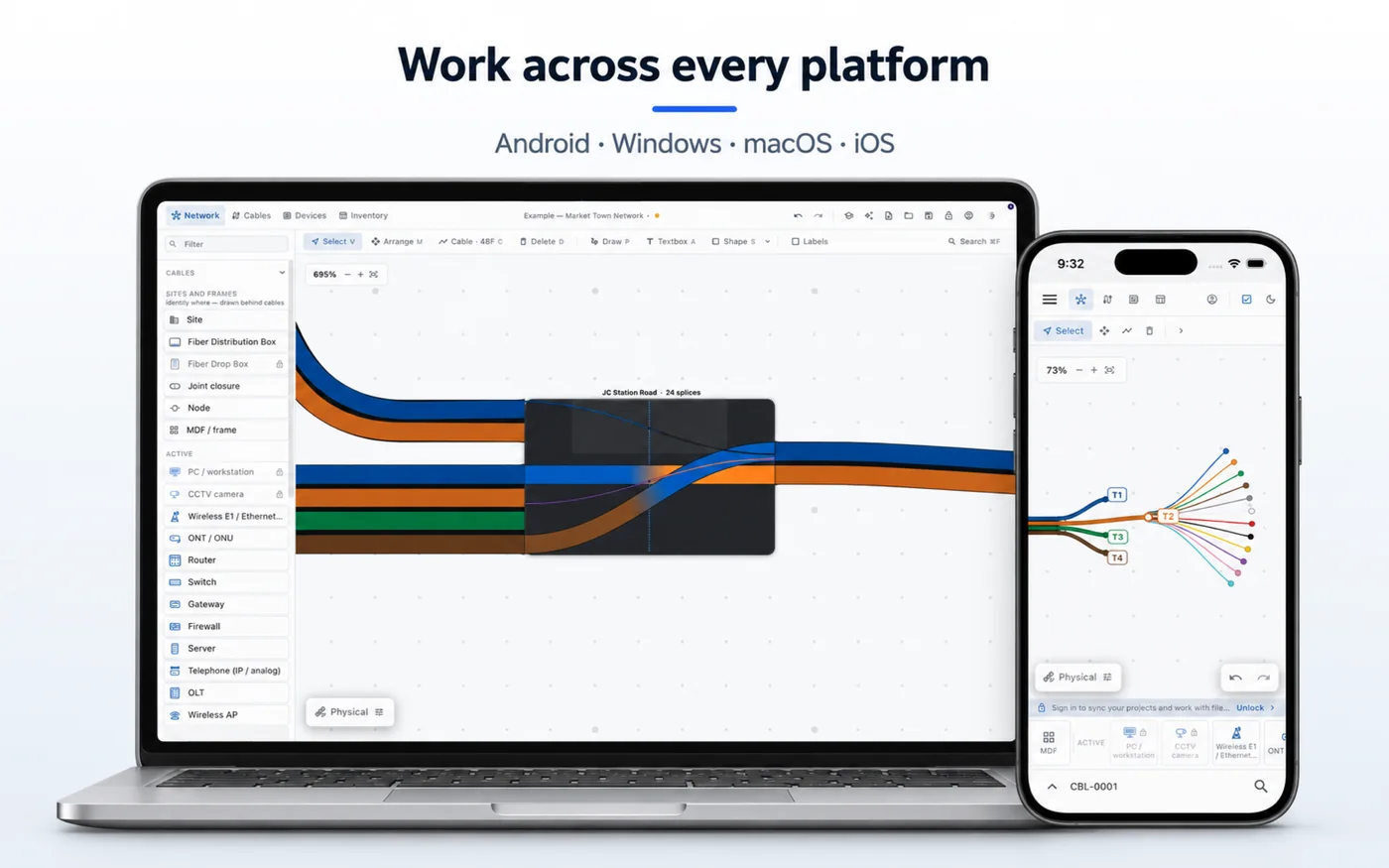
From the network schematic in the office to the fiber route map on site, everything is the same OFC network — not a second drawing that has to be kept in sync.
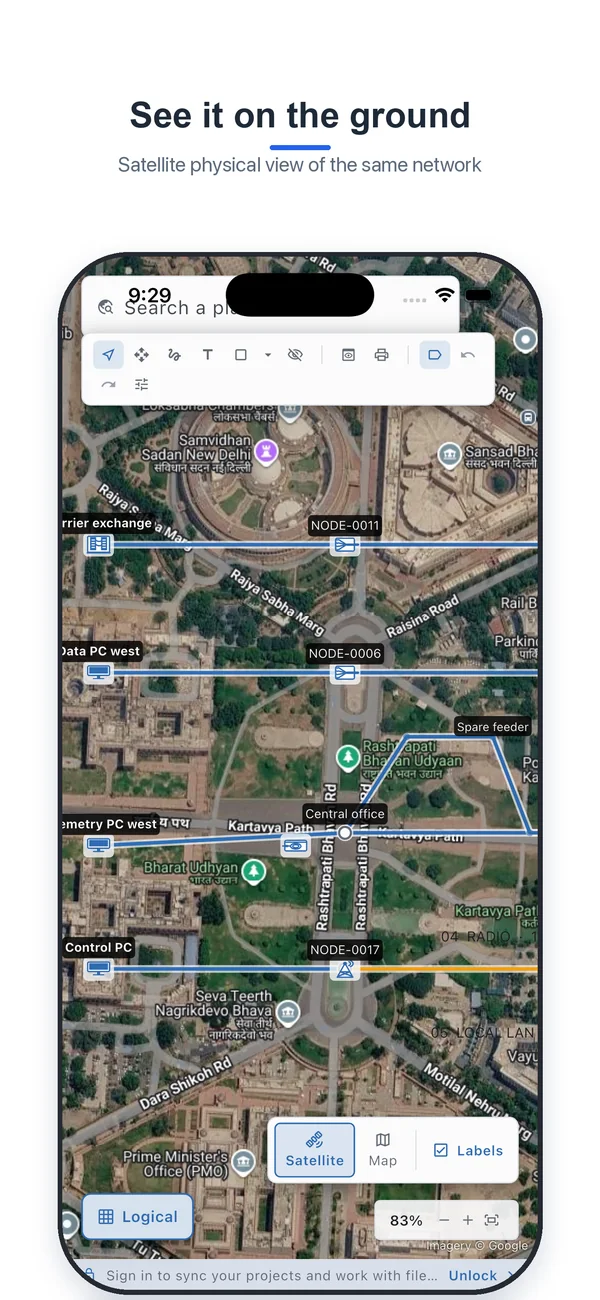
The logical view is the network schematic: how every cable and core is connected. The physical view is a fiber route map of the same network on satellite imagery, with its own positions. Tidying one never moves the other.
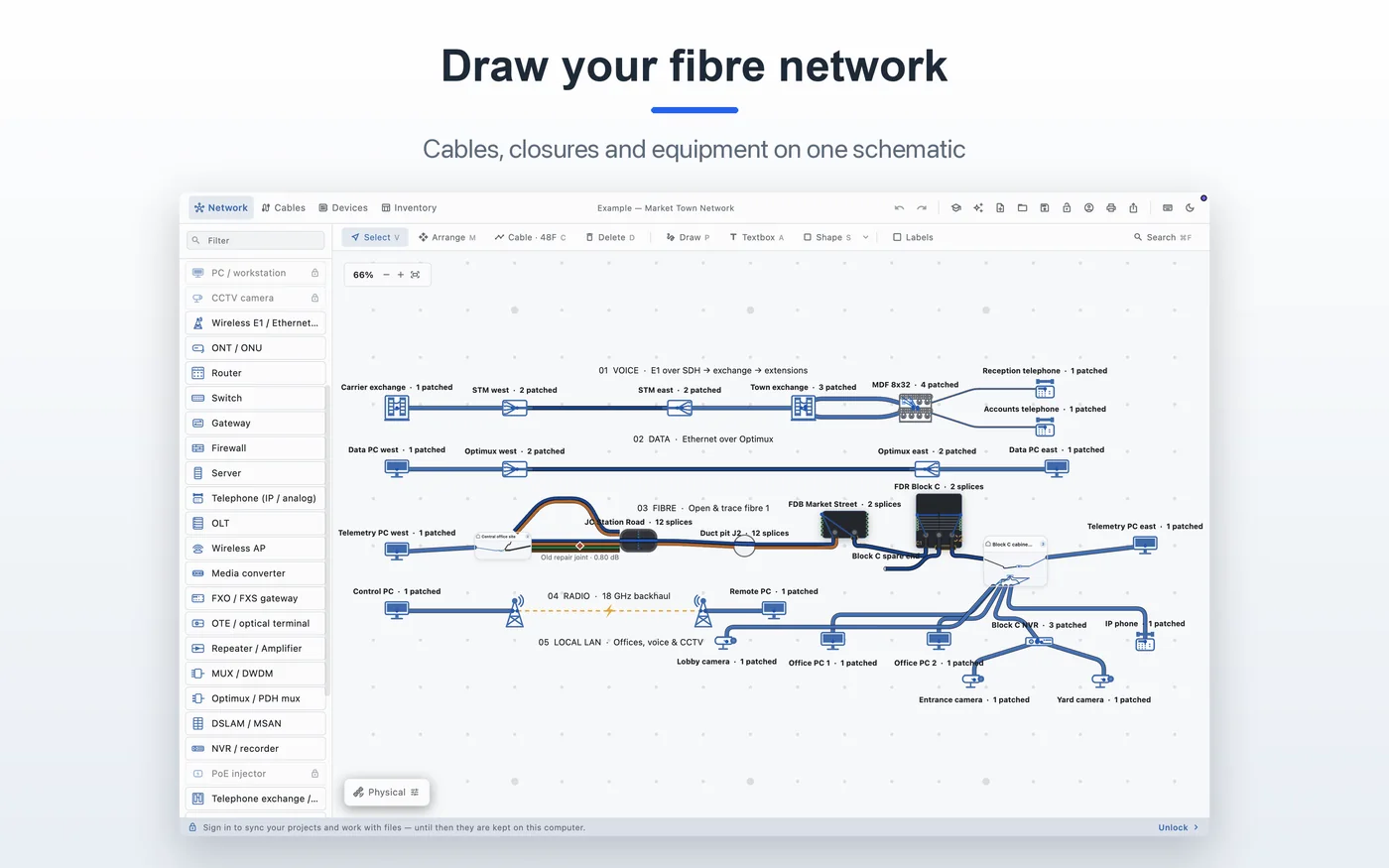 Logical · schematic
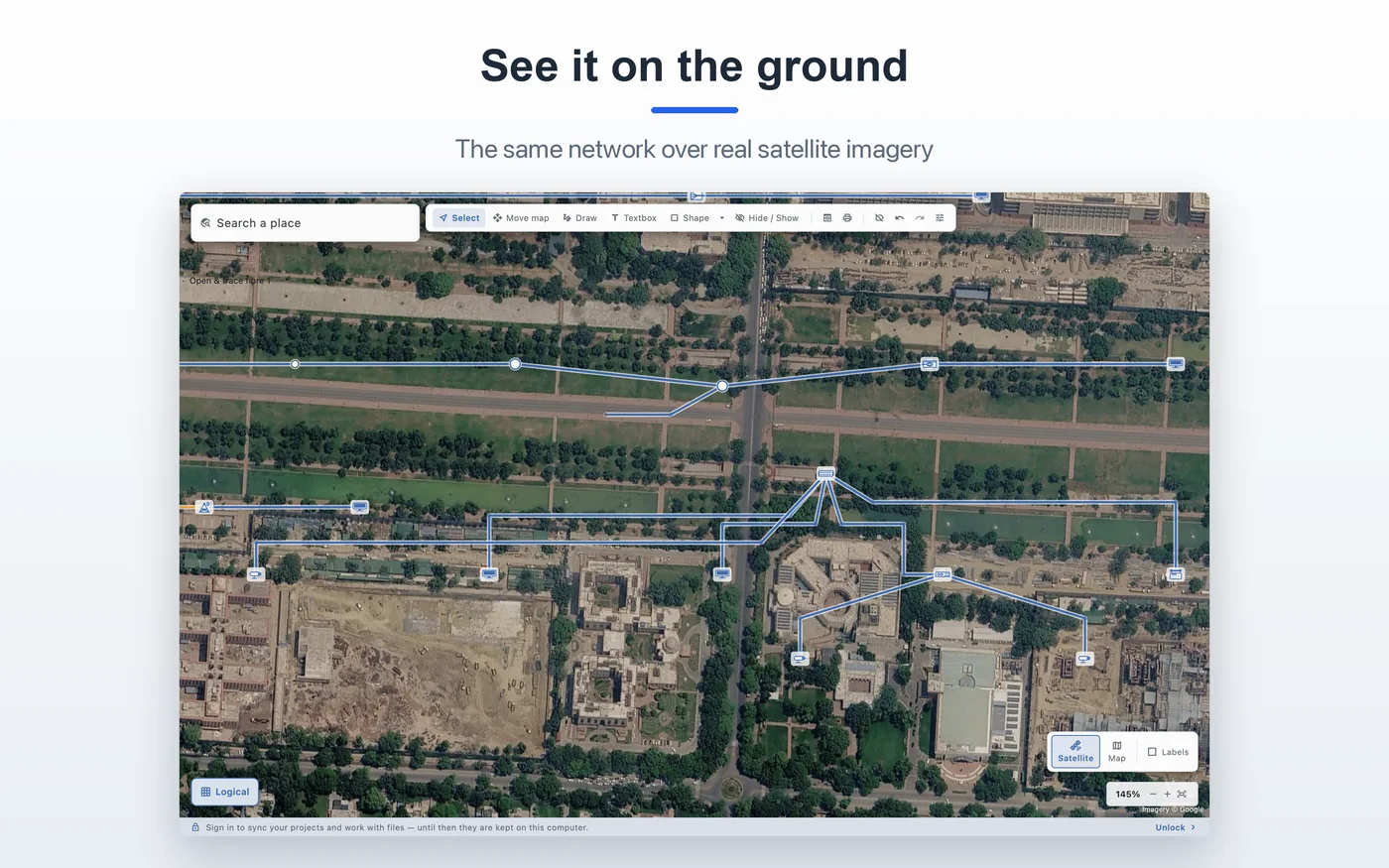 Physical · satellite
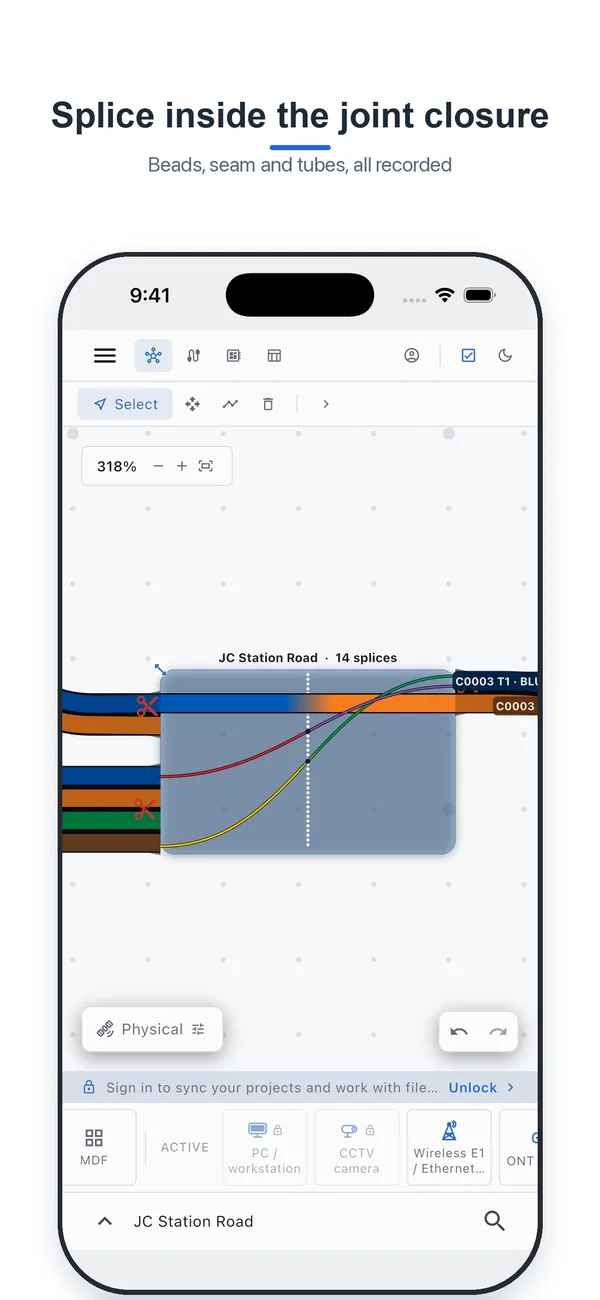
Open any cable end and work with real tubes and fibres in the standard fiber optic colour code (TIA-598). Splice a core, a whole tube or a whole cable end inside a joint closure, then terminate on numbered fiber distribution box ports or an ODF / FDR rack.
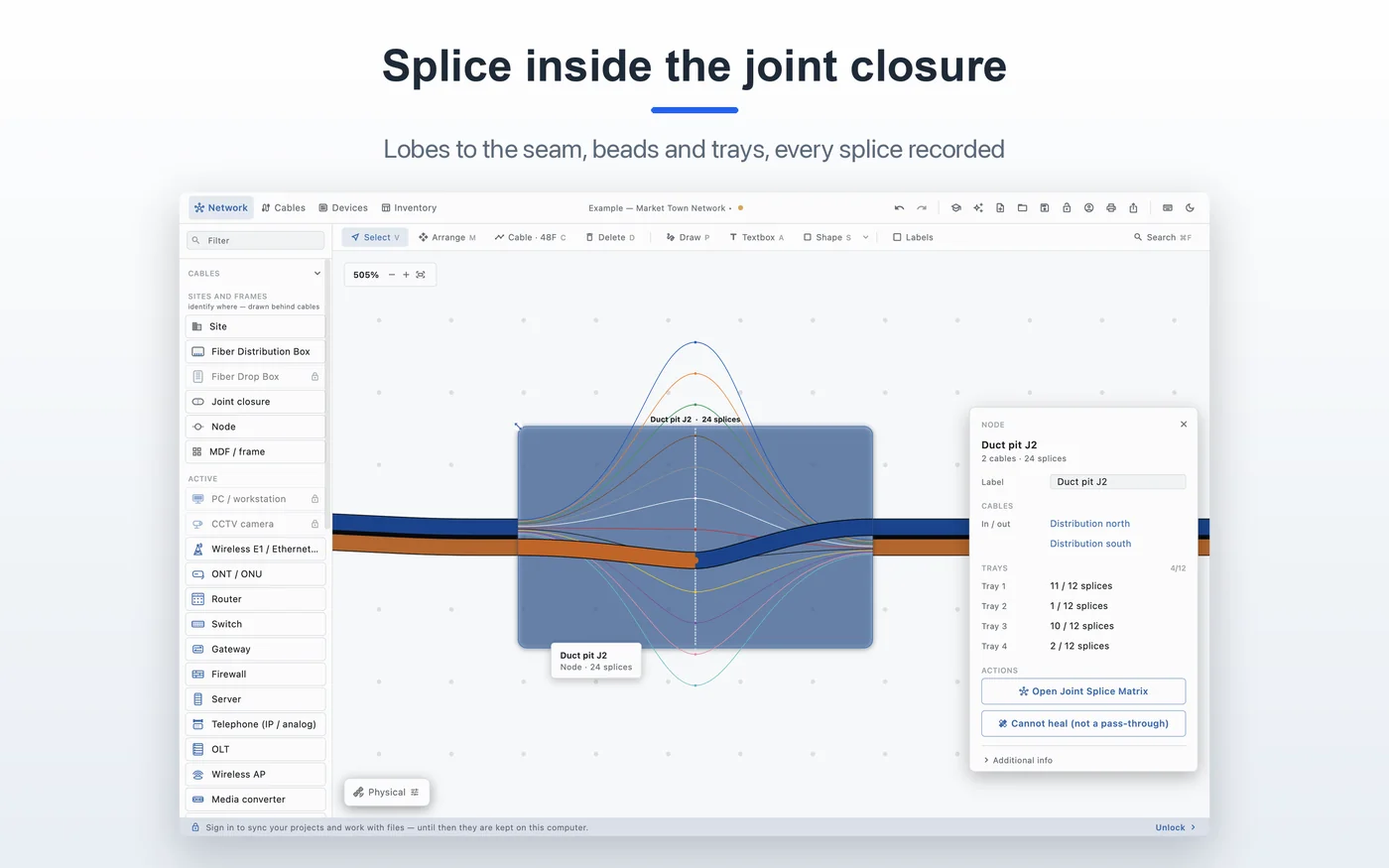 Joint closure · splice tray
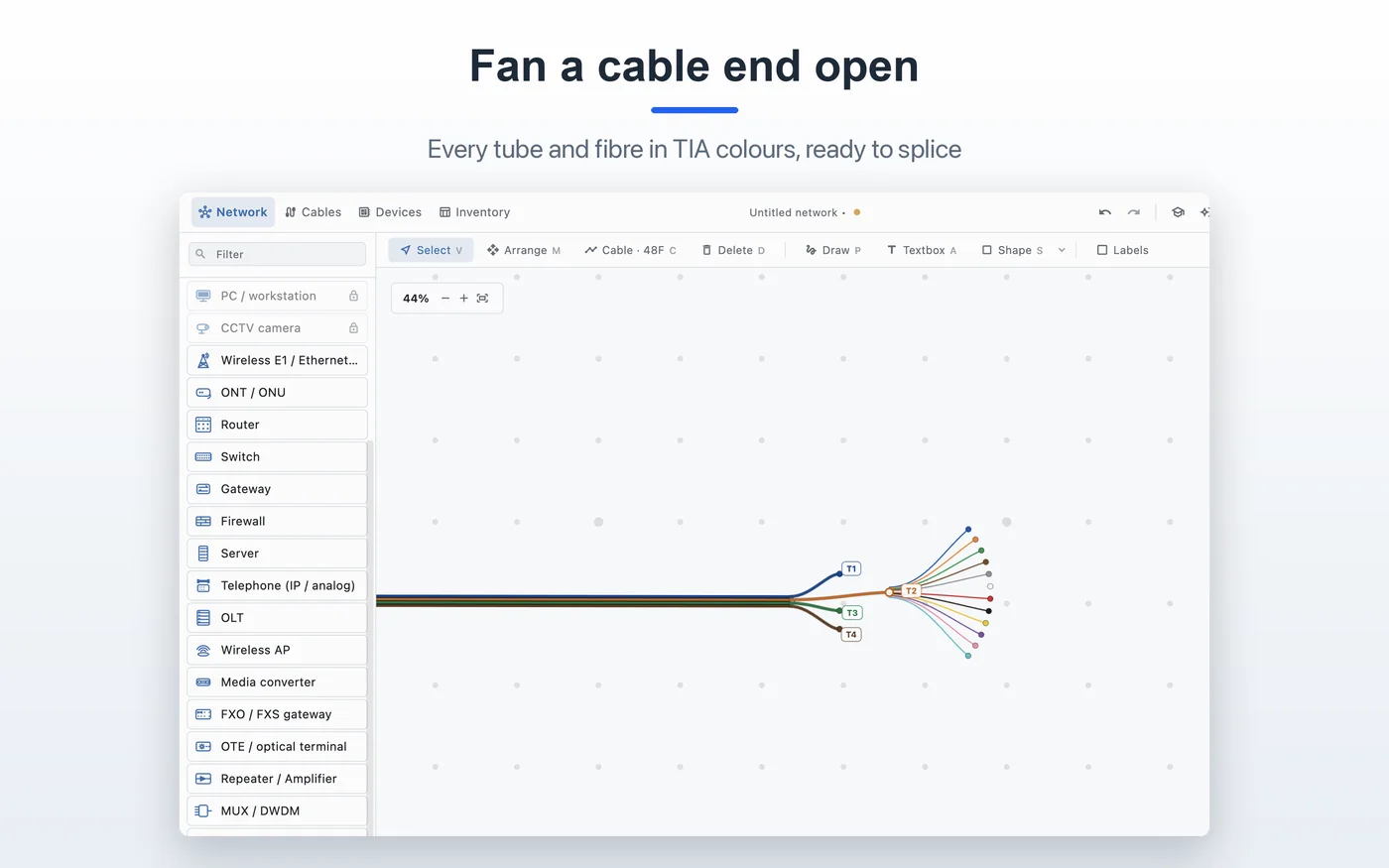 Fanned end · TIA-598
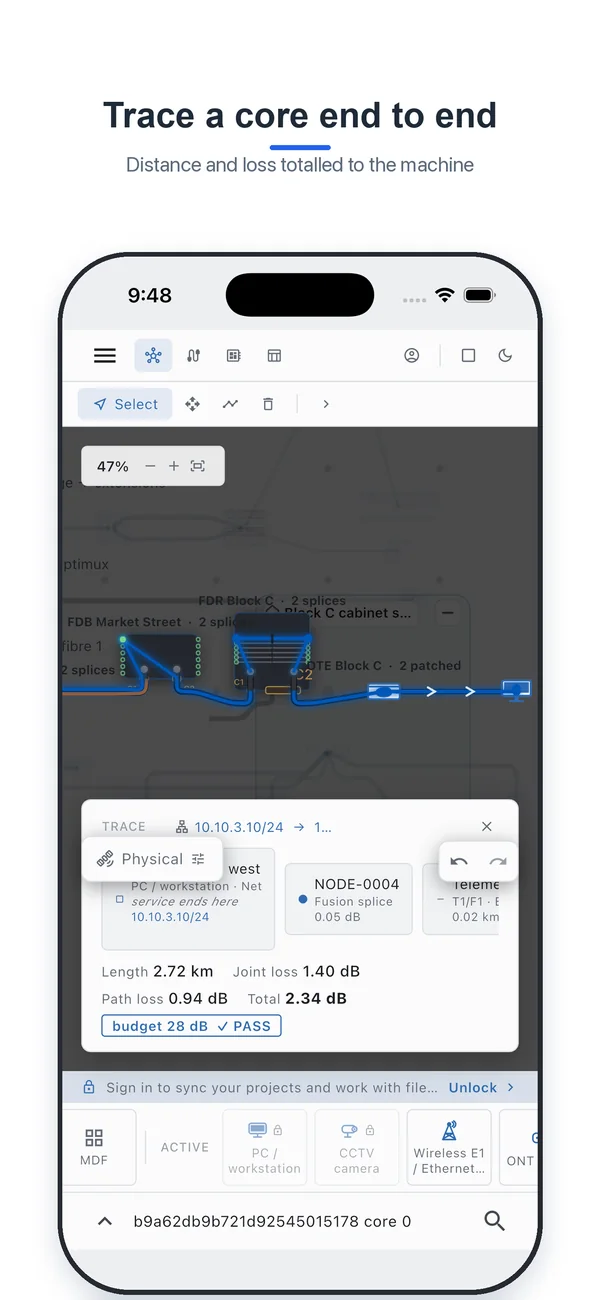
Search a core, cable, label or device IP. The path lights up through every joint, splitter and patch — a link loss budget with distance and optical loss in dB, totalled for you.
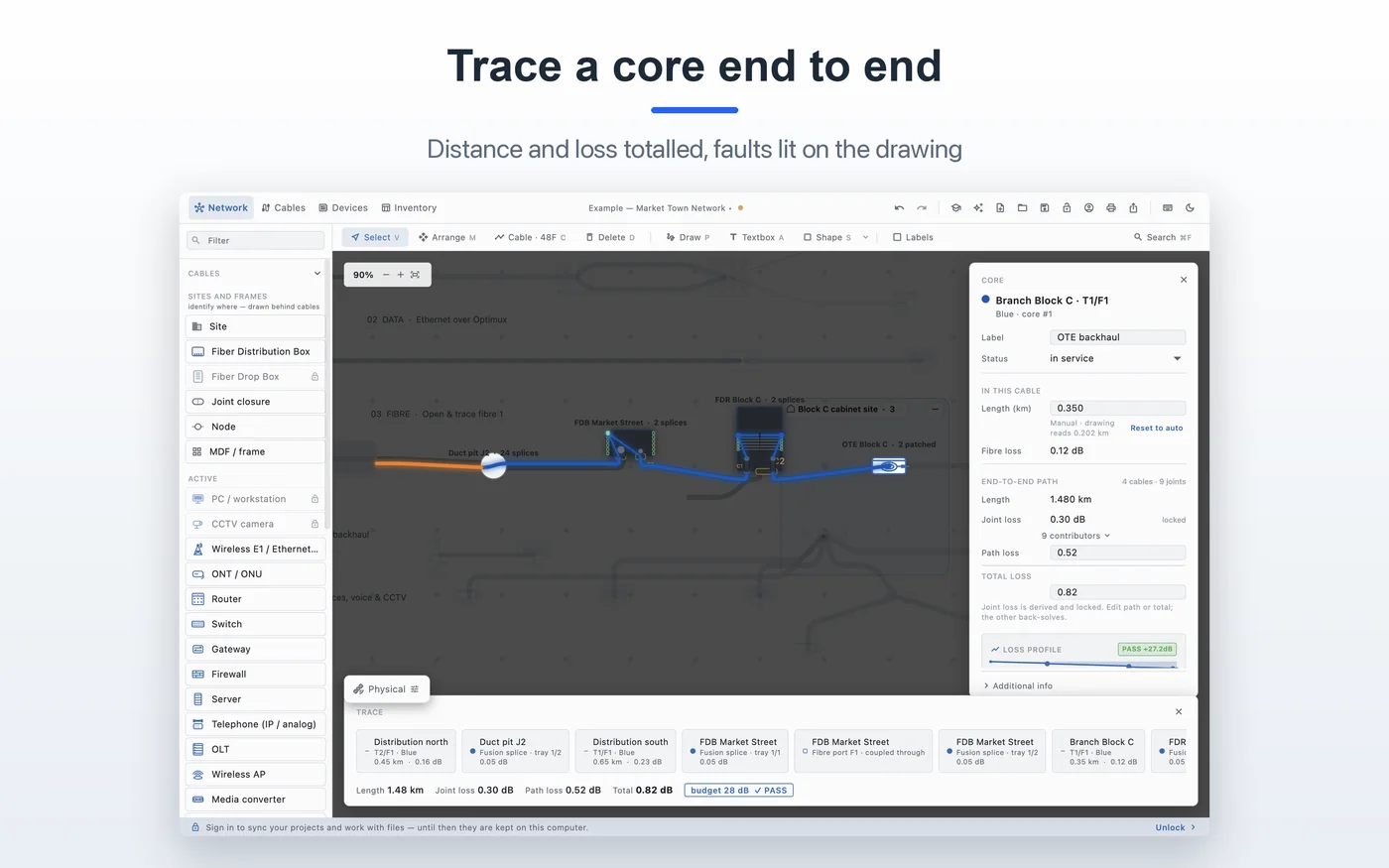 Trace · 2.72 km · 1.40 dB
An optical fiber management system keeps the cables, cores, joint closures, splices, ports and equipment that make up a fiber optic network — and the connections between them — in one working record. OFC Network Manager applies that model to ISP, FTTH and telecom networks, with real cable counts, splice trays, ports and cores.
The small decisions matter when you are standing in front of an open joint closure with a splice tray in one hand. These details are what separate a drawing from a fiber network record you can trust.
Draw optical fiber cable with real core counts and real construction, from 2F to 432F — not an abstract line. Open any end to see its tubes and fibres.
The standard TIA-598 12-colour fiber optic colour code, with ring and tracer marking past twelve for high-count cables. The colours on screen match the colours in the tray.
Splice trays, fiber distribution boxes (FDB / FAT / FDT) with numbered glands and adapters, and ODF / FDR racks. Terminate a tube on gland C1 or a fibre on port F3.
Cut anywhere mid-span and every core is spliced straight through. Heal is the exact inverse. Nothing silently breaks.
Find F15, CBL-0001 F15, T2/F3, status:free or a device address. Matches stay lit when you zoom out.
.ofcx is ZIP + JSON with atomic save, .bak and a crash-recovery journal. Password-protect with Argon2id and AES-256-GCM.
No import wizard. No separate loss spreadsheet. The drawing is the record.
Place nodes, closures and equipment. Connect them with real cable types from 2F to 432F. Group a busy area into a Site and collapse it.
Fan ends, splice cores or tubes, land ports. TIA colours and tray slots throughout. Cut mid-span and heal it back.
Trace any fiber core end to end. Read distance and dB loss. Print the splicing chart or export CSV, image or PDF.
Take your OFC network to site on Android, iPhone or iPad. Check the physical view against the ground, trace a core in the cabinet, and mark up the sheet without carrying a laptop.
The full drawing, splicing and tracing toolkit is free. The lifetime unlock adds cloud sync, encrypted storage and earlier access to advanced features — one payment, no subscription.
The whole toolkit on one device. No account required.
For people who work across more than one screen.
Prices are shown in the App Store, Google Play and Microsoft Store. Purchases are handled by the store.
An OFC (optical fiber cable) management system is software that records your fiber cables, cores, joint closures, splices, ports and equipment, and the connections between them. OFC Network Manager is an optical fiber management system for ISP, FTTH and telecom networks: map the route, keep splicing records, trace any core end to end and calculate its distance and optical loss.
OFC stands for optical fiber cable (optical fibre cable in British and Indian English). OFC networks carry broadband, FTTH and telecom traffic over glass cores grouped into tubes. OFC Network Manager is built to document and manage those networks core by core.
Internet service providers (ISPs), local cable operators, FTTH and GPON network builders, telecom contractors, fiber splicing technicians and network planners — anyone who needs to know which core goes where, and what its loss is, in the office or on site.
Yes. Draw the fiber route over satellite imagery, open any joint closure or distribution box to record core-to-core splices in the standard fiber colour code, and print or export the splicing chart as PDF, image or CSV.
No. OFC Network Manager is an optical fiber management and fiber planning tool. It models the physical network — cables, cores, joint closures, splice trays, ports and equipment — and calculates distance and optical loss. It does not simulate packets or IP routing. If you need a packet tracer or a protocol simulator, that is a different job.
Windows, macOS, Android, iPhone and iPad. Projects use the same .ofcx format on every platform, so a drawing started on a desktop can be opened on a phone.
Yes. Drawing, splicing, tracing and local project files work without a connection. Cloud sync is optional and is part of the lifetime unlock.
A .ofcx project is a ZIP containing plain JSON. It saves atomically with a .bak backup and a crash-recovery journal. You can password-protect a project with Argon2id and AES-256-GCM encryption.
Not for local work. An account is only needed for cloud sync and licence checks. You can draw, splice, trace and export without signing in.
No. The core app is free. The lifetime unlock is a one-time in-app purchase for cloud sync, encrypted storage and earlier access to advanced features.
Free to download on Windows, macOS, Android, iPhone and iPad. Start drawing in minutes; unlock sync only if you need it.
By downloading you agree to the store's terms and our Terms of Use and Privacy Policy.