Optical fiber management features, in one model.
See how OFC Network Manager works as an OFC management system: map fiber routes, make splicing diagrams in joint closures, trace any fiber core and calculate optical loss from the first cable to the final reading.
Draw fiber optic cable, not a line.
Place nodes, closures, distribution boxes and equipment. Connect them with real cable types. A 288F cable costs the same to draw as a 12F one because the renderer works per bundle.
- Cable types from 2F to 432F, with real construction.
- Straight joins snap collinear at the closure — the joint renders as one unbroken run.
- Every point knows what it is: cable end, node, joint closure, distribution box or equipment.
- Sites group a busy drawing; collapse to a miniature and restore.
- Pull a strand out and lay real glass to a new point.
- Undo everything, named to what you did, with a drag collapsing to one step.
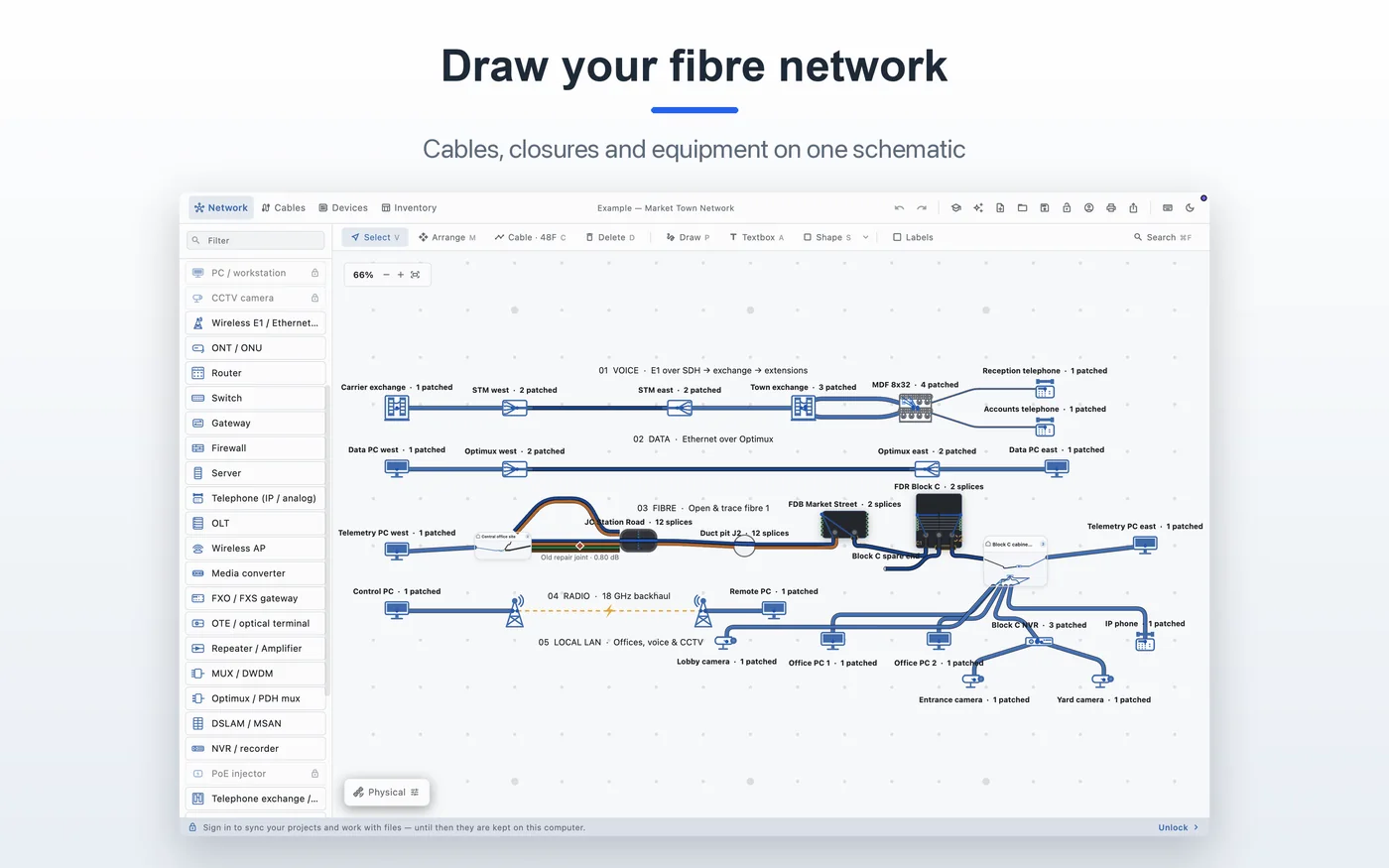 Draw · Market-Town-Network
Fiber splicing diagrams, not spreadsheets.
Open any cable end and work with the tubes and fibres that are actually there, in the TIA-598 fiber colour code. Splice a core, a tube or a whole end; terminate it on a port; cut and heal.
- 12-colour fiber colour code (TIA-598), ring and tracer past twelve.
- Numbered splice tray slots inside every joint closure.
- Fiber distribution boxes (FDB / FAT): glands (C1…) and adapters (F1…).
- ODF / FDR rack with paired adapters and shared glands.
- Bulk splice a tube or a whole cable end.
- Cut mid-span and heal it back.
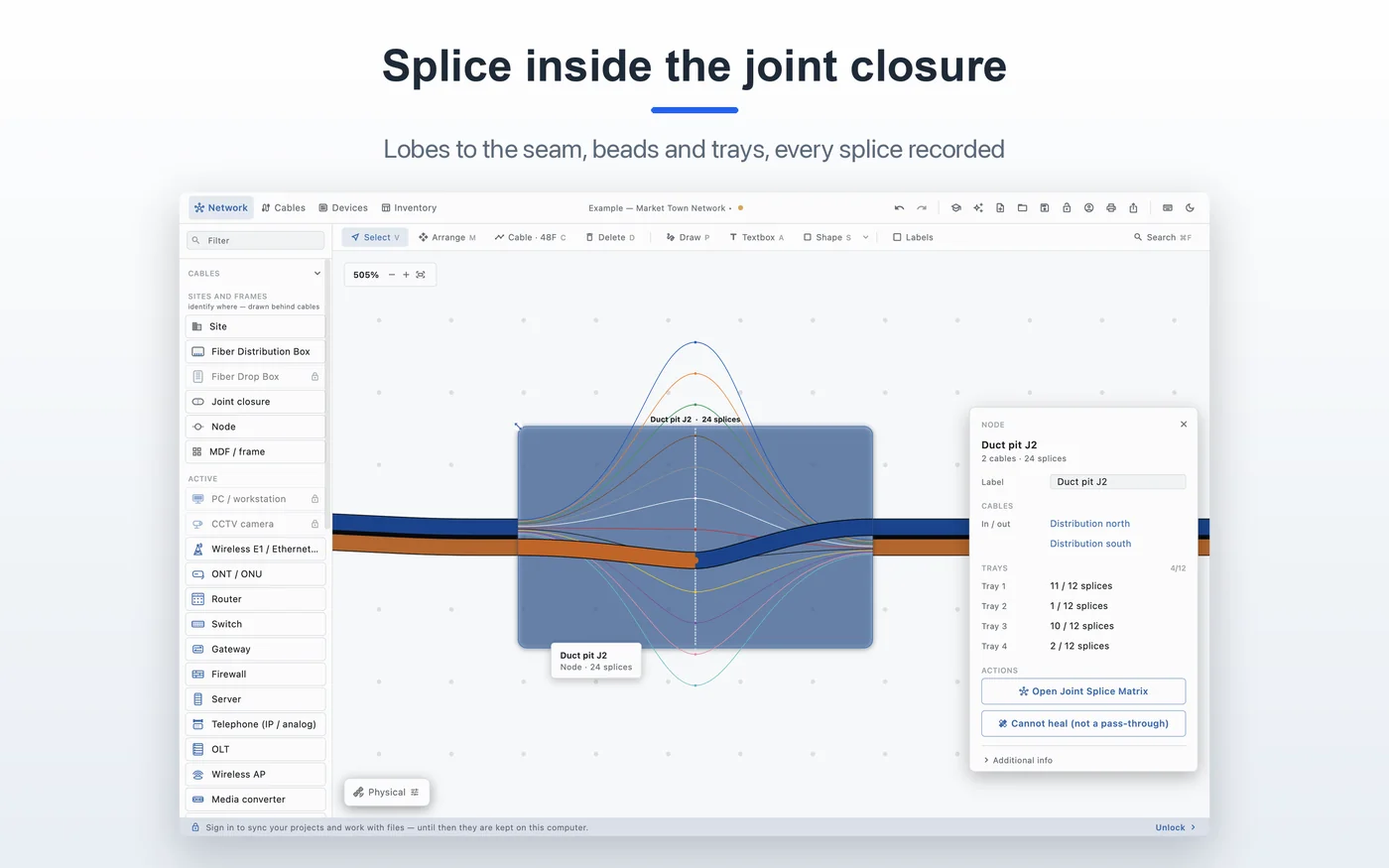 Joint closure · splice tray
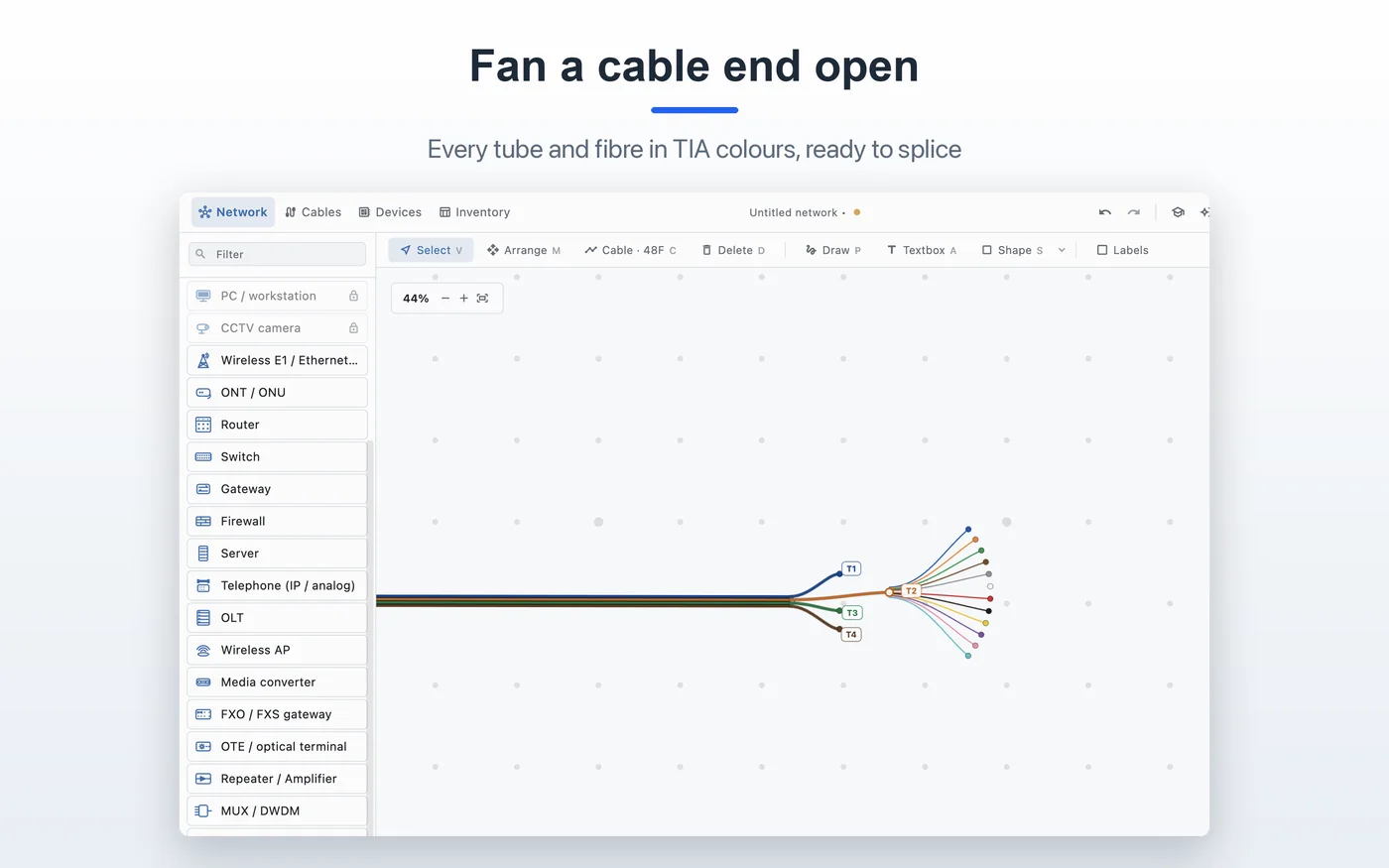 Fanned end · TIA-598
Fiber core tracing. Optical loss in dB.
Search by core, cable, label, tube/fibre or device IP. The route lights up through every joint, splitter and patch. Distance and optical loss are totalled as you go — a link loss budget without the spreadsheet.
- Trace through equipment that passes the signal on; stop at the device where it terminates.
- Splitters branch into a tree; rings terminate and say so.
- Joint, path and total loss stay consistent: enter one and the others are worked out.
- Addresses at both ends, and at every equipment hop.
- Matches stay lit when zoomed out.
- Copper links are one whole link — never opened, never spliced.
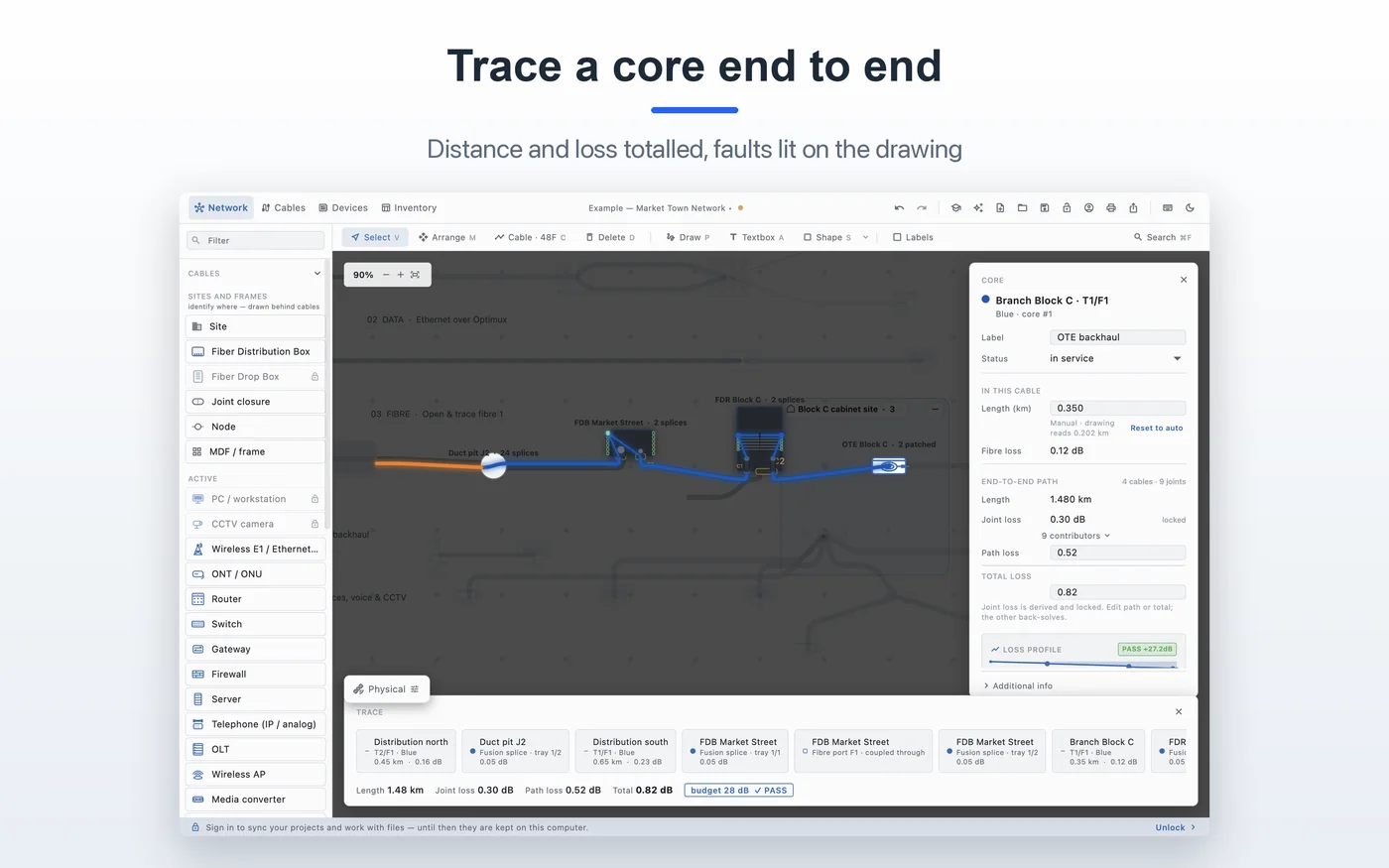 Trace · 2.72 km · 1.40 dB
Fiber route map on satellite imagery.
The physical view is a second drawing of the same network over satellite imagery, with its own positions. Move something on the ground and the schematic does not move. Tidy the schematic and the field sheet stays put.
- Independent positions for every place.
- Read-only network in the field view; placement is the exception.
- Hide items from the view; hidden items stay out of print.
- Mark up either view with ink, notes, boxes and rings.
- Print what is on screen, at the scale you set.
- The same closures, cables and ports as the schematic.
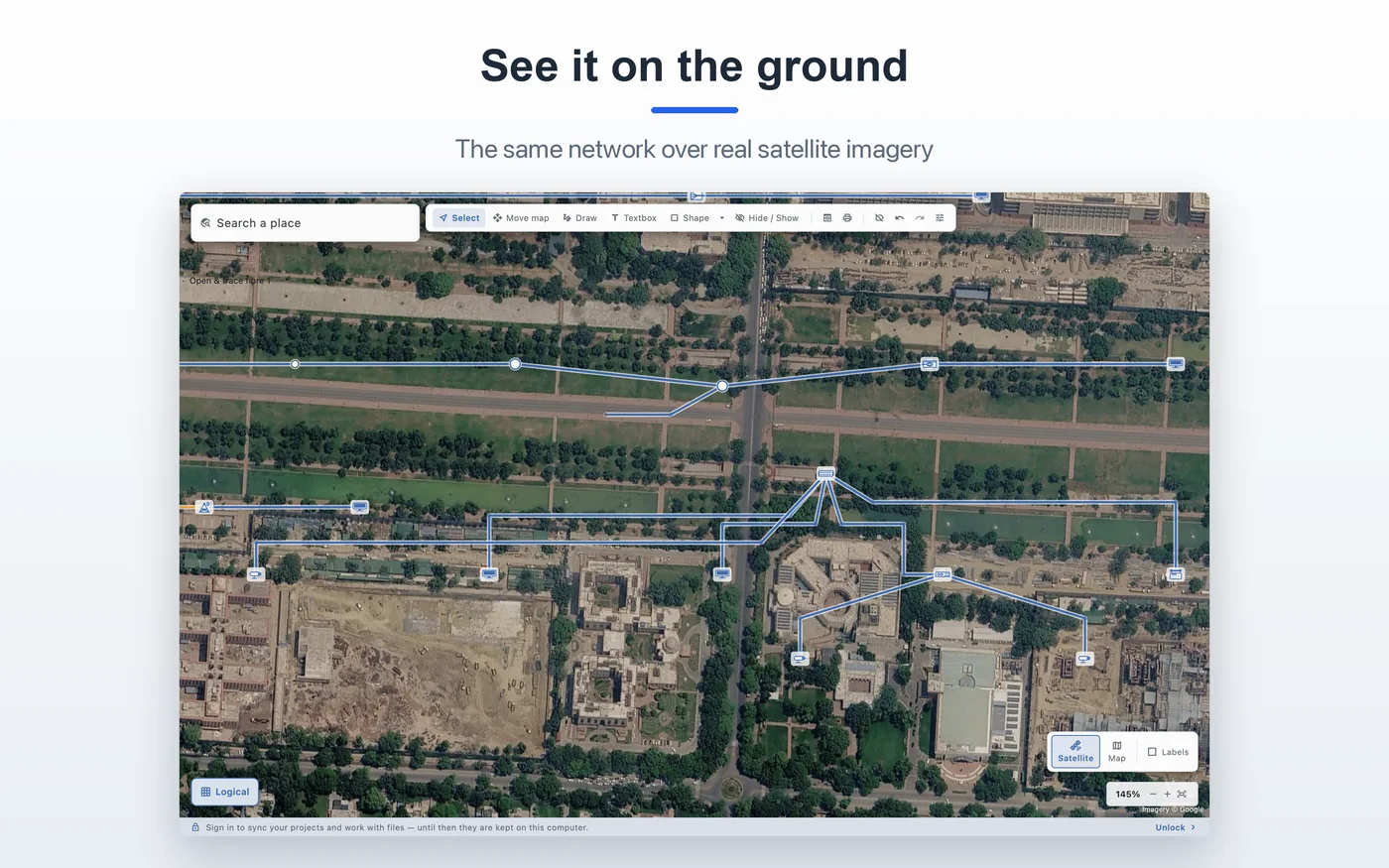 Physical · satellite
OLT, ONT and network equipment, in place.
A machine is a place on the network, not a picture beside one. Run a cable to a switch and it terminates on the switch. Plug the first fibre into a port and it stands where that fibre is.
- OLT, ONT, switch, router, gateway, firewall, server, PC, phone, AP, camera and more.
- Every device draws its ports; every port can be aimed at and dropped on.
- Ports have sides — tributaries and line, PON and LAN, in and out.
- Connectors decide what fits: LC/SC on fibre, RJ45 on twisted pair, Ethernet either.
- Optical WAN/LAN groups, copper/fibre mixes and configurable interfaces.
- Cable inventory: ID, type and length for every run.
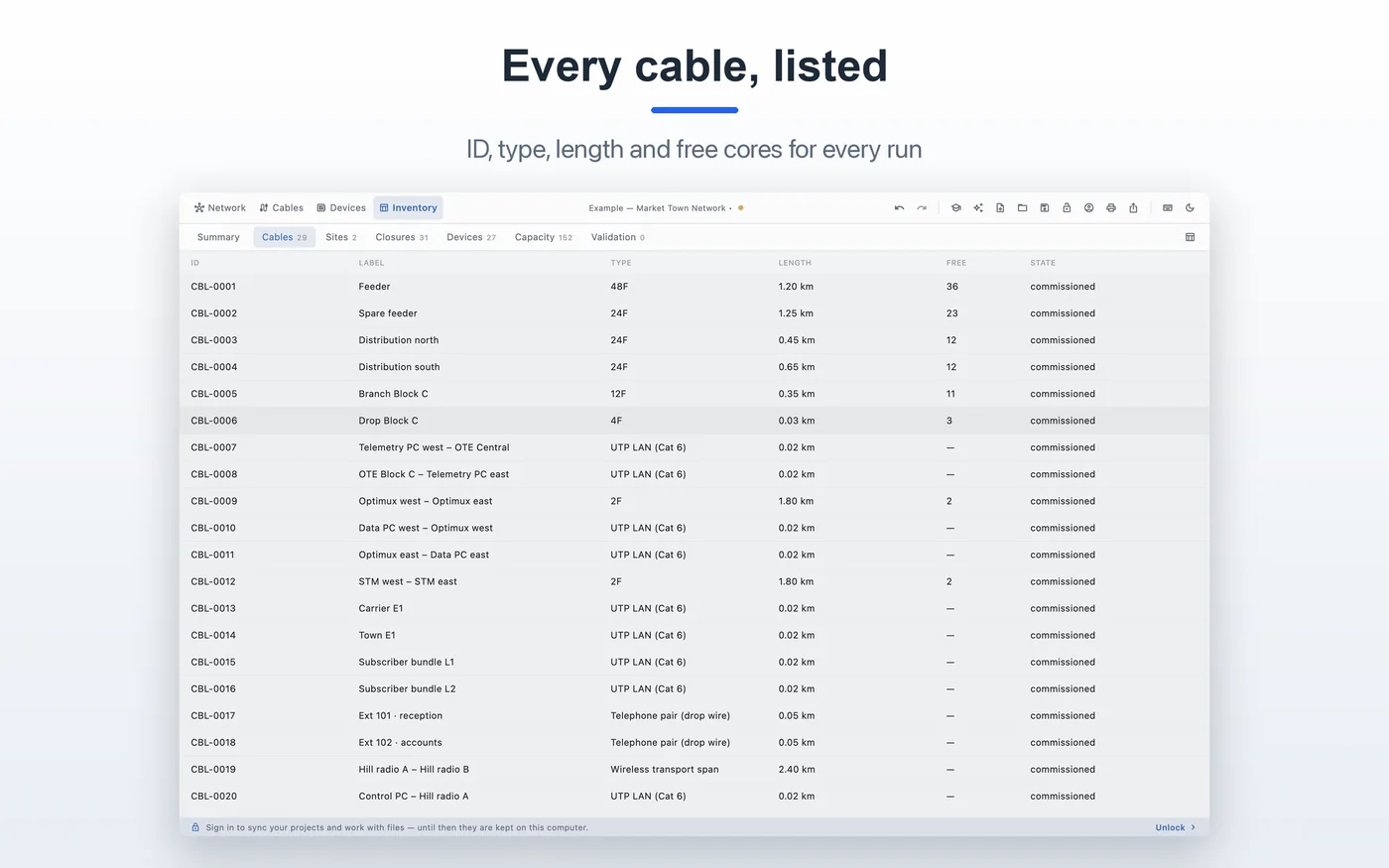 Inventory · every cable listed
Files you own. Sync when you want it.
Projects are .ofcx files: a ZIP with plain JSON inside. They save atomically, keep a .bak and a crash-recovery journal. The lifetime unlock adds cloud sync and encrypted storage.
- Atomic save, .bak backup and crash-recovery journal.
- Password-protect a project with Argon2id and AES-256-GCM.
- Print, or export CSV, image and PDF.
- Cloud sync across computers with the lifetime unlock.
- No subscription.
- Same file on Windows, macOS, Android, iOS and iPadOS.
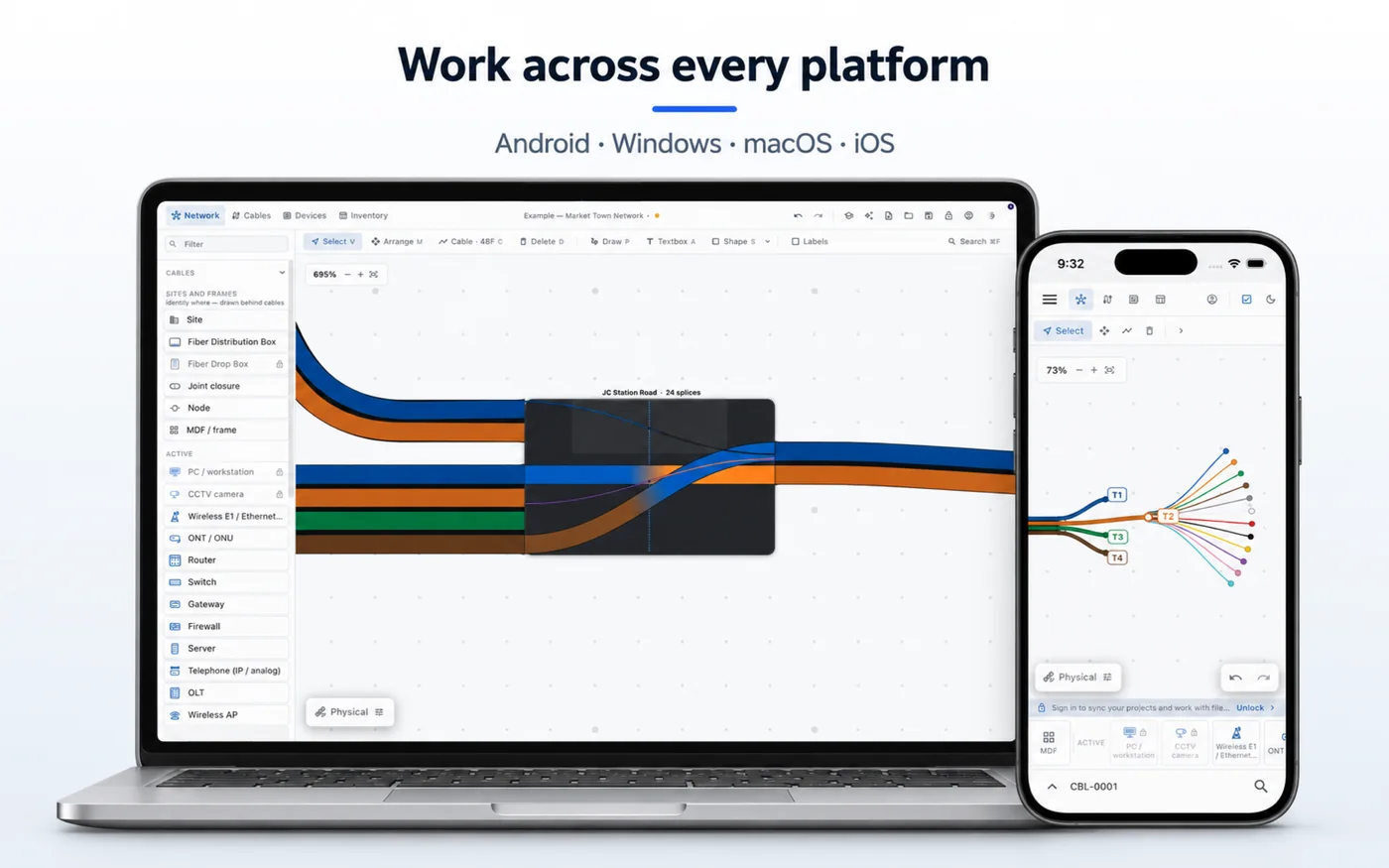 .ofcx · Mac, Windows, mobile
OFC management software vs CAD and spreadsheets.
CAD, spreadsheets and drawing apps can all hold a picture of a network. None of them hold the network.
| Job | CAD / spreadsheets | OFC Network Manager |
|---|---|---|
| Follow a core end to end | Manual, error-prone | Yes — with distance and loss |
| Splice tubes and fibres | Drawn as lines | Real trays, beads and ports |
| Physical + logical views | Two disconnected files | One model, two views |
| Cable inventory | Separate schedule | Generated from the drawing |
| Loss calculation | Spreadsheet formulas | Built into the trace |
| Field mark-up | Print and redraw | Mark up either view |
Fiber management software questions.
Can I draw any fibre count?
Cable types run from 2F to 432F. A 288F cable costs the same to draw as a 12F one because the renderer works per bundle, and you can fan any end open to work with its tubes and fibres.
Does it use the standard fiber optic colour code (TIA-598)?
Yes. The TIA-598 12-colour sequence is built in, with ring and tracer marking past twelve for high-count cables.
Can I make a fiber splicing chart or splice diagram?
Yes. Open any joint closure or distribution box to record core-to-core splices, then print the splicing chart or export it as PDF, image or CSV.
Can I calculate optical fiber loss?
Yes. Every trace totals distance and optical loss in dB across the cable and every joint, so you can check a link loss budget against your power meter or OTDR readings.
Can I trace through equipment?
Yes. A trace follows a core through every joint, splitter and patch, through equipment that passes service on, and stops at the equipment that consumes it — and says why it stopped.
Can I use it without a connection?
Yes. Drawing, splicing, tracing and local project files work offline. Cloud sync is optional and part of the lifetime unlock.
See it on your own network.
Download the free app and draw a closure, a cable run or a whole estate. Or see the OFC management system overview .